Authentication
Most tasks in TestEngine require authentication. This topic describes how to authenticate.
Basic authentication
Basic authentication requires your Base64-encoded username and password in the Authorization header. For example:
Authorization: Basic <base64-encoded-credentials>
To apply basic authentication in ReadyAPI, use the Authorization panel:
Open the needed request and then open the Auth panel.
Select the Basic (Built-in) authorization type.
Tip
If you use the same credentials in several requests, use authorization profiles.
Specify your credentials and select the Authenticate pre-emptively option.
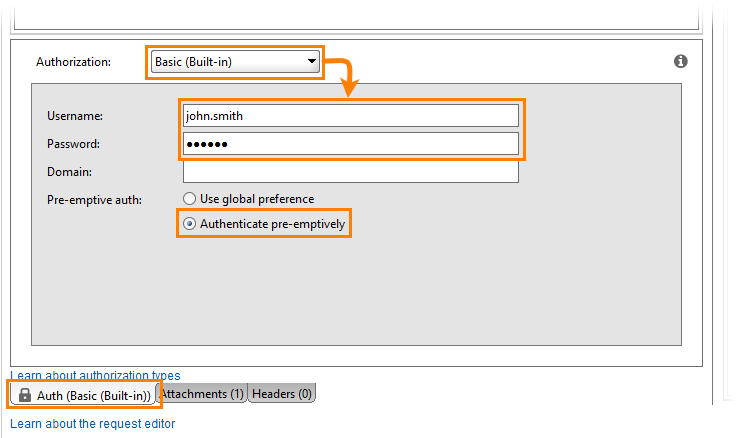
To learn more about applying the basic authorization in ReadyAPI, see Basic Authentication.
Access token
An access token lets you authenticate requests with a token issued by TestEngine. This method is more secure because you do not provide your credentials with every request.
The access token has no expiration date. To reset the token, revoke it manually.
To authorize requests with an access token:
Get an access token by using the following operation:
POST http://localhost:8080/api/v1/token
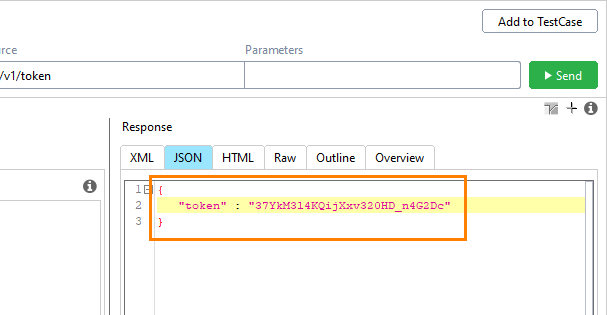
TestEngine responds with a JSON object containing the access token:
Specify the
Authorized: Bearer <access token>header to authenticate a request. See the examples below.
See the Generate Token section in the ReadyAPI TestEngine API on SwaggerHub for details..
To authenticate requests using an access token:
Get an access token:
Create a project using the TestEngine API definition. See Create Projects for details.
Tip
You can also create the needed request from scratch.
Select the POST request to the /api/v1/token resource.
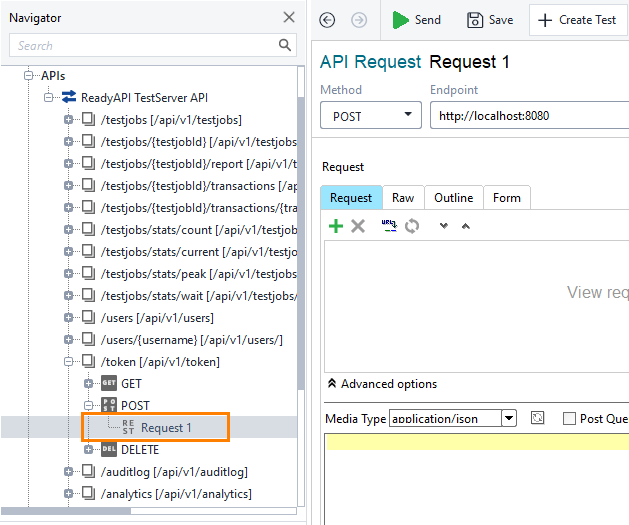
Open the Auth panel and select the Basic (Built-in) authorization type.
Tip
If you use the same credentials in several requests, use authorization profiles.
Specify user credentials and select the Authenticate pre-emptively option.
Send the request.

If successful, the response contains an access token.
Use the access token to send a request:
Open the request you want to send. For example, the GET request to the /api/v1/testjobs resource.
Add the
Authorizationparameter and set its type to .Specify
Bearer <access token>for the parameter’s value.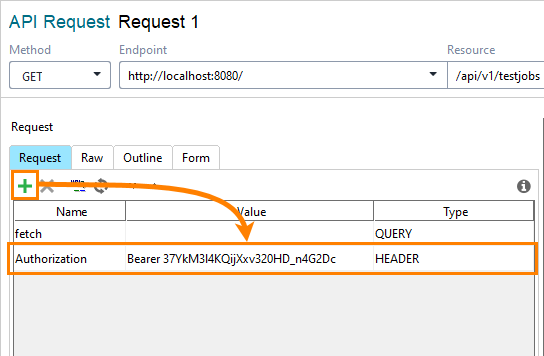
Send the request.
Revoke an access token
Revoke a single access token
Use the following operation:
DELETE http://localhost:8080/api/v1/token/
See details on SwaggerHub in the ReadyAPI TestEngine API – Delete Token section.
Create a project by using the TestEngine API definition. See Creating Project From OpenAPI/Swagger Definition to learn how to do it.
Tip
You can also create the needed request from scratch.
Select the DELETE request to the /api/v1/token resource.
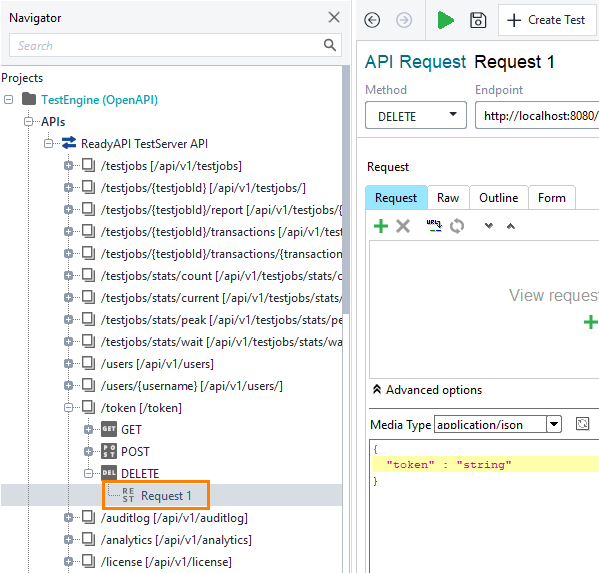
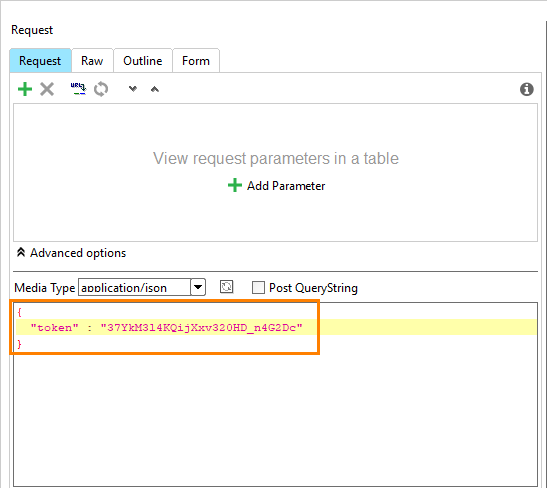
Enter the new password in a JSON body.
{
  "password": "string",
}
Open the Auth panel.
Select the Basic (Built-in) authorization type.
Tip
If you use the same credentials in several requests, use authorization profiles.
Specify user credentials and select the Authenticate pre-emptively option:
Send the request.
Revoke all your access tokens
Use the following operation:
DELETE http://localhost:8080/api/v1/tokens/
See details on SwaggerHub in the ReadyAPI TestEngine API – Delete All Tokens section.
Create a project by using the TestEngine API definition. See Creating Project From OpenAPI/Swagger Definition to learn how to do it.
Tip
You can also create the needed request from scratch.
Select the DELETE request to the /api/v1/tokens resource:
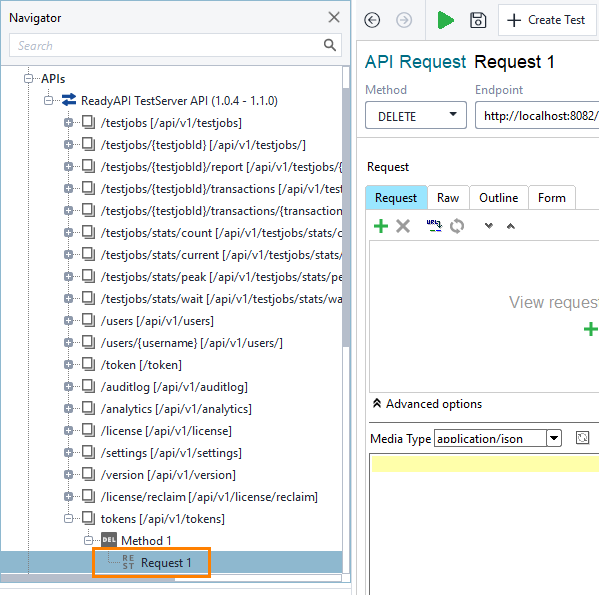
Open the Auth panel.
Select the Basic (Built-in) authorization type.
Tip
If you use the same credentials in several requests, use authorization profiles.
Specify user credentials and select the Authenticate pre-emptively option:
Send the request.